
Infocis QMS
Complete Hospital Queue Management & Digital Signage Solution

Modern Hardware Ecosystem
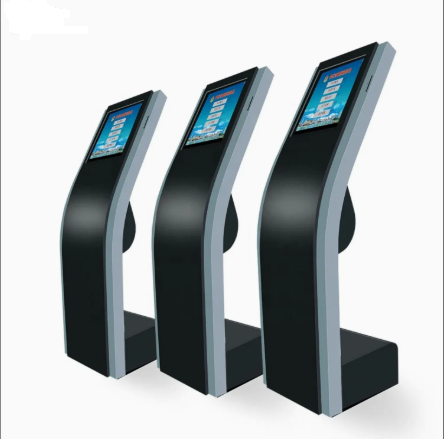
The software is designed to run seamlessly on professional-grade self-service kiosks, ensuring durability and ease of use in high-traffic hospital lobbies.
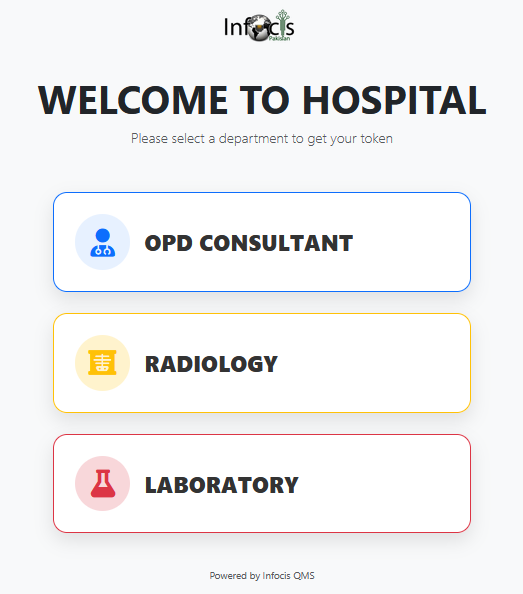
- Touch-Optimized Design: Large buttons and high-contrast text designed specifically for capacitive touch screens on kiosks.
- Sleek Aesthetics: Fully supports curved-screen and modern silver/black hardware units that blend with premium hospital architecture.
- Plug & Play: Simply connect to the local network; no complex drivers required for thermal printers or barcode scanners.
Kiosk Hardware
Compatible with industry-standard kiosk units designed for 24/7 operation.
The Patient Experience
Smart Token Generation
Patients select departments (OPD, Radiology, Lab) via a user-friendly kiosk. Supports general department tokens and specific doctor selection.
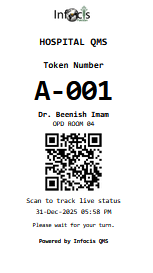
Thermal Slip & QR Code
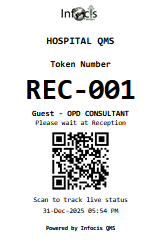
Instantly generates a professional slip with Token Number, Doctor Name, and a unique QR Code for live mobile tracking.
Live Mobile Tracking
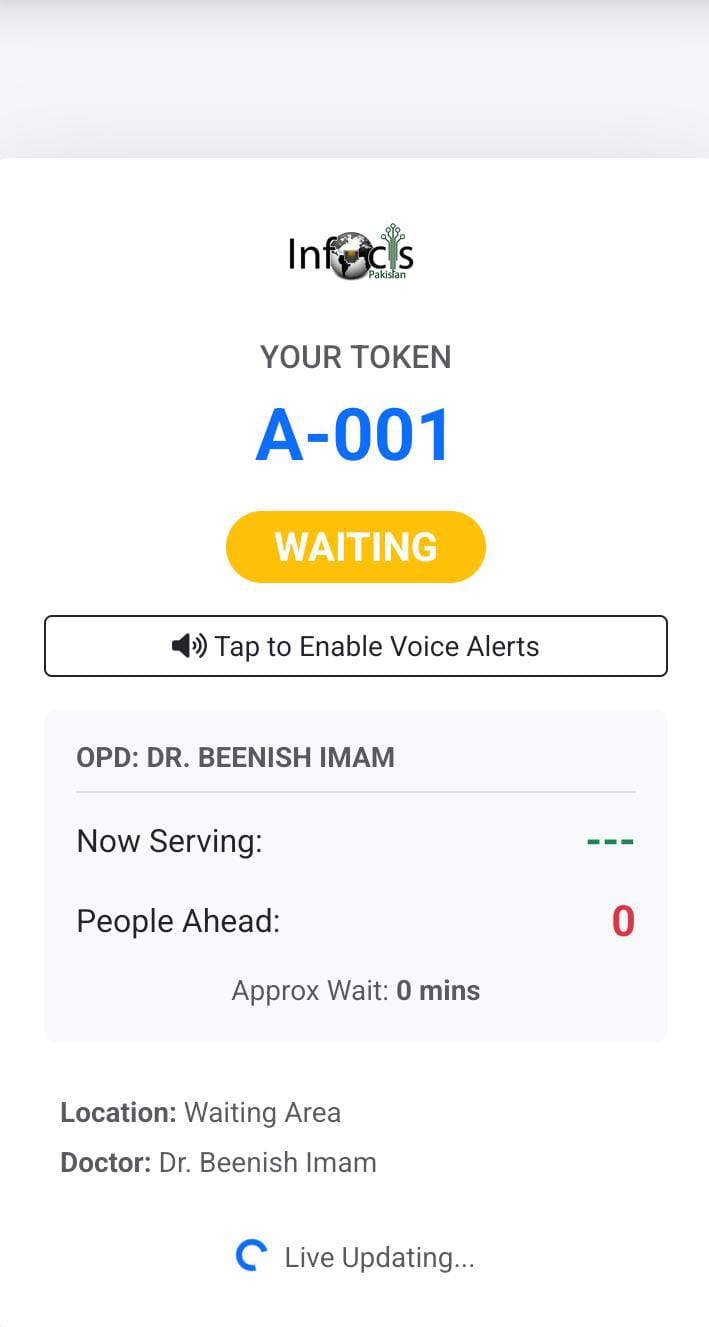
Advanced web-based tracking page. Patients see “People Ahead,” “Approx Wait,” and real-time status. Features Vibration Alerts and Browser Text-to-Speech on mobile devices.
Sample Token Outputs
Operational Control Modules
1. Reception & Triage
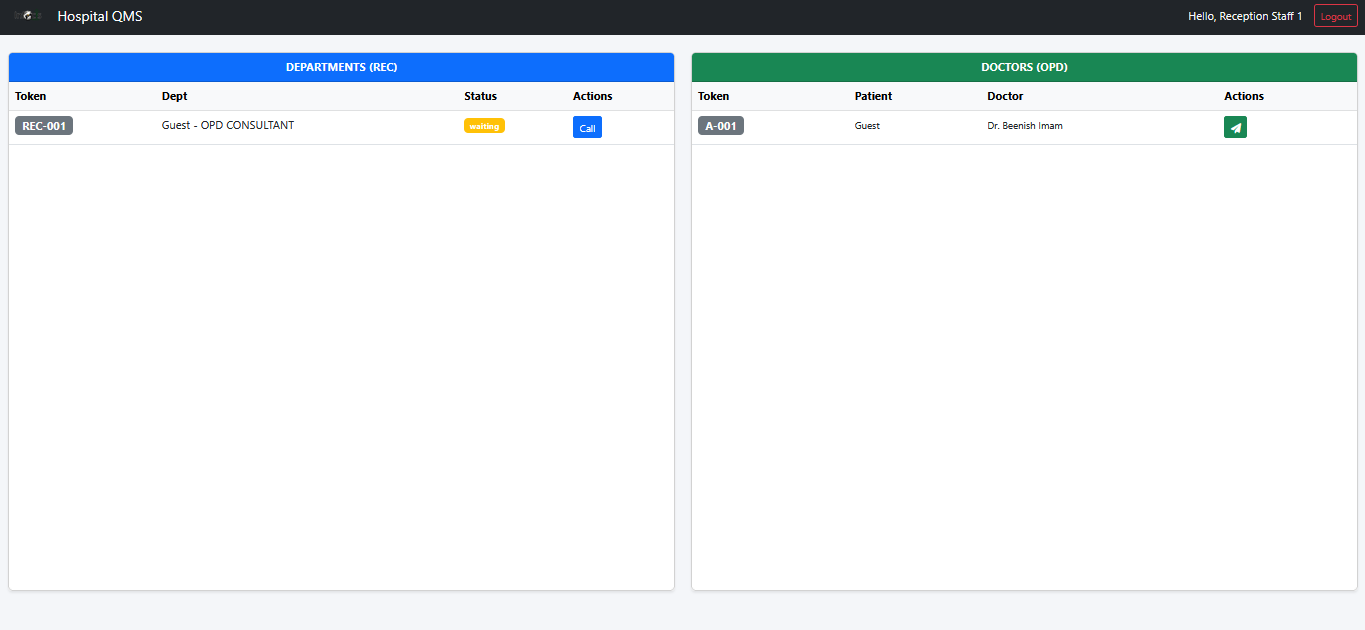
The Reception Dashboard acts as the central command center. It provides a unified view of General Department tokens and Doctor-specific queues.
- Queue Management: View all waiting and called tokens.
- Patient Transfer: One-click transfer of patients from General Queue to specific Doctor Rooms.
- Priority Handling: Mark patients as Urgent or Emergency to jump the queue.
- Token Recall: “Call Again” feature if a patient misses their turn.
2. OPD Hall Attendant Module
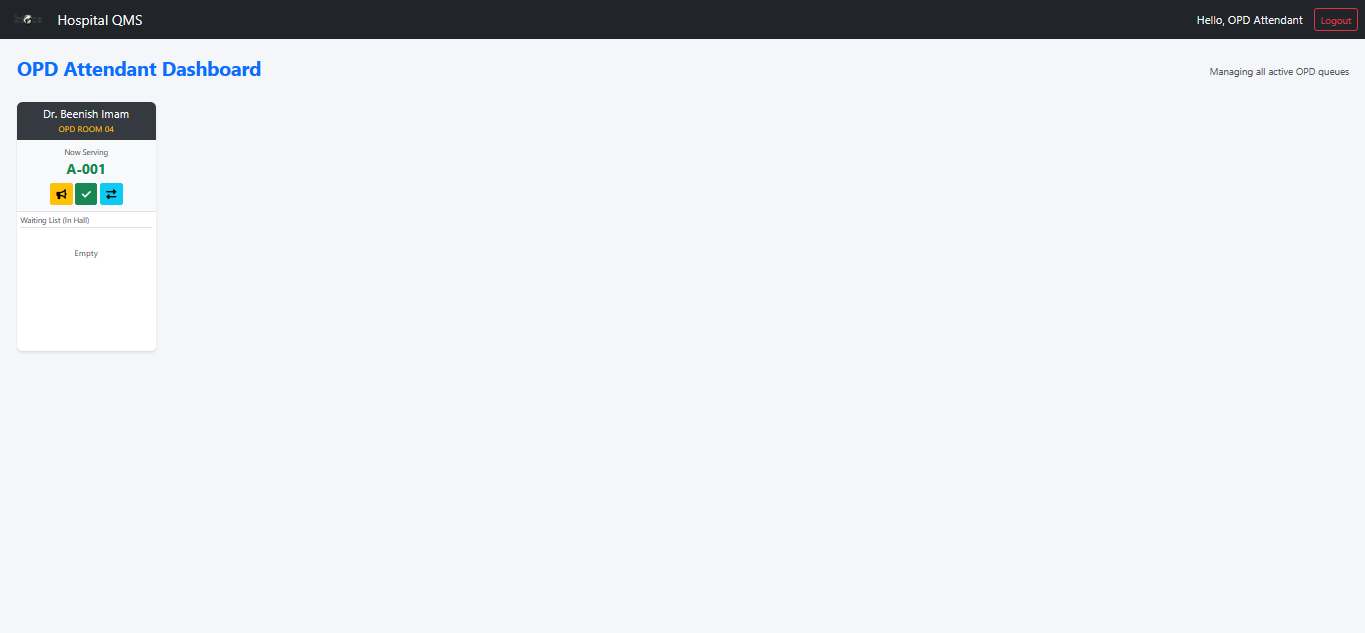
A dedicated interface designed for hall attendants to manage multiple doctor queues simultaneously without overwhelming the reception.
- Grid View: See all active doctors and their room numbers at a glance.
- Hall Control: Call patients from the “In Hall” waiting list directly to the room.
- Transfer Management: Move patients between doctors or change priority levels instantly.
- Quick Actions: Call, Complete, and Transfer buttons accessible directly from the grid.
3. Doctor Control Panel
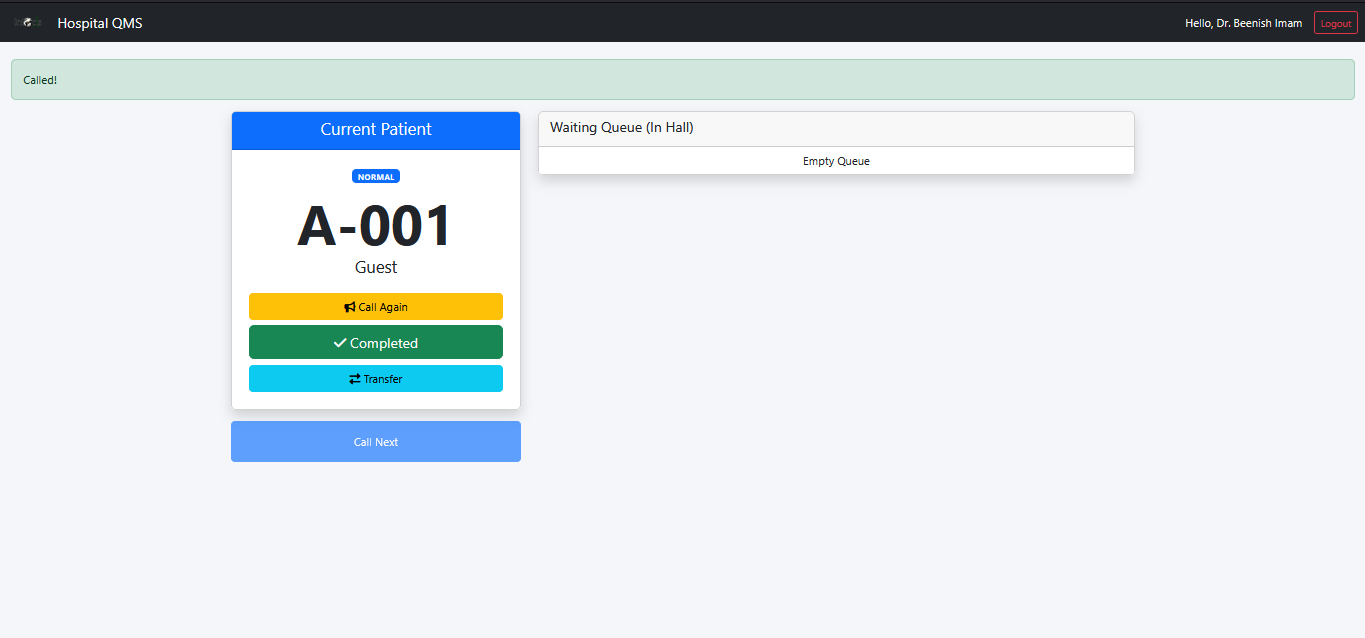
Simplified interface for doctors to focus on patient care rather than queue management.
- Current Patient Focus: Large display of the currently serving token number.
- One-Click Operations: Call Next, Call Again, Complete, or Transfer patient.
- Waiting List Preview: See upcoming patients and their priorities.
Admin Dashboard & Advanced Features
The Admin Panel is the brain of the operation, providing deep insights, media management, and system configuration.
Real-time Analytics
Visual dashboard using Chart.js. View daily token trends, doctor distribution, and average wait times instantly.
Reporting & CSV
Export daily activity logs and token reports to CSV for external record-keeping. Import doctors via bulk CSV upload.
Ads & Media Manager
Upload Images, Videos, or paste YouTube URLs to display on the Digital Signage screen. Rotate multiple ads automatically.
Voice Configuration
Fine-tune text-to-speech. Adjust Pitch, Rate, Volume, and select specific voices for Reception vs. OPD announcements.
Ticker Messages
Manage the scrolling marquee text on TV displays. Broadcast announcements, health tips, or emergency info.
Role Management
Create accounts for Admin, Staff, Reception, Doctors, and Kiosks with granular permission controls.
Smart TV & Digital Signage
High-Definition Display Screens
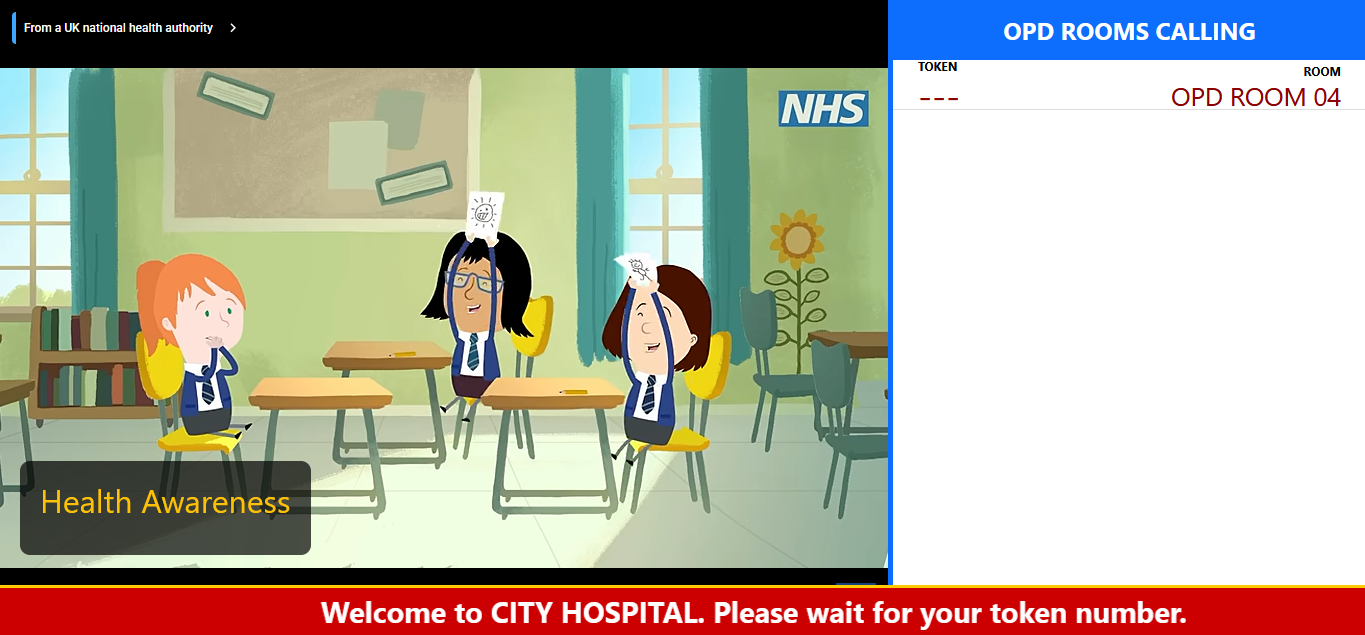
Optimized for Android TV boxes and Smart TVs. The system provides multiple view modes based on the location:
- Main Display: Split-screen layout showing the Token Queue on one side and Media Ads (Images/YouTube) on the other.
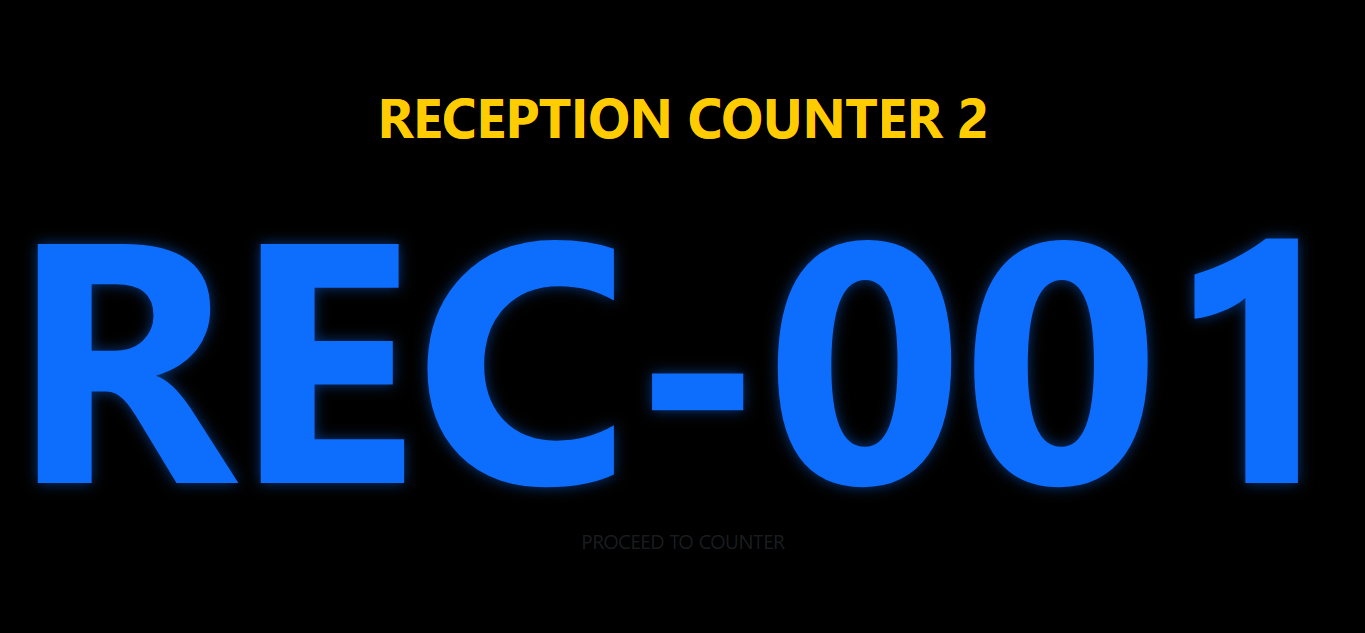
- Reception Display: Focused on general department calling and hall queue status.
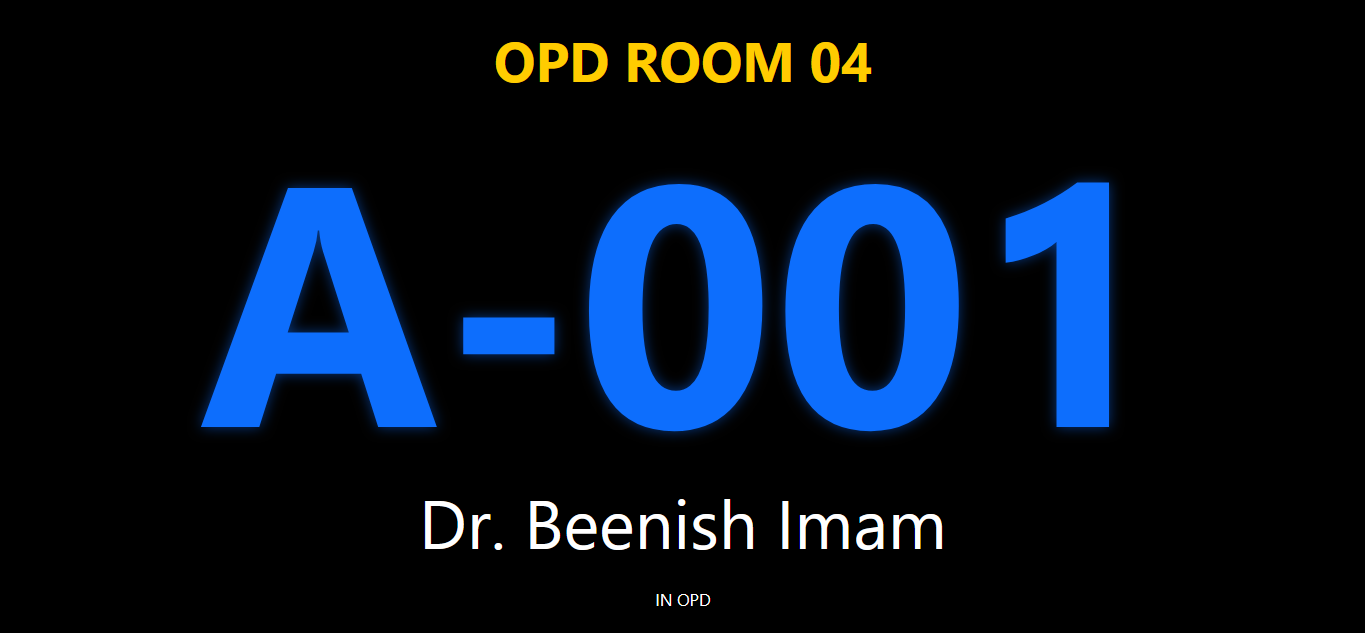
- OPD Room Display: Single-room focus, highlighting the current doctor and token number.
- Audio Control: Dedicated settings to toggle voice announcements for specific areas (e.g., mute OPD voice in Reception).
Why Choose Infocis QMS?
Reduced Wait Times
Organized queues mean patients know exactly when their turn is, reducing lobby congestion.
Enhanced Privacy
Token numbers protect patient identity compared to calling out names publicly.
Data-Driven Decisions
Admin panel provides reports on daily tokens, doctor performance, and peak hours.
Technical Highlights
- Web-Based Architecture: Accessible from any device (PC, Tablet, Mobile).
- Role-Based Access: Secure login for Admin, Reception, Doctor, Kiosk, and Attendants.
- Database Driven: Robust data logging for audit trails and reporting.
- Local Network Ready: Optimized for offline/intranet usage in hospital environments.
- Speech Synthesis: Uses Web Speech API for announcements (no additional license fees).
Secure & Scalable