

Infocis HRMS
Complete System Manual & Feature Guide
1. System Introduction
Welcome to the Infocis HRMS user manual. This comprehensive system serves as a centralized platform to manage all Human Resource operations. From recruitment, onboarding, and payroll to performance management (PMS) and offboarding, every aspect of employee lifecycle is streamlined here.
2. Login Interface
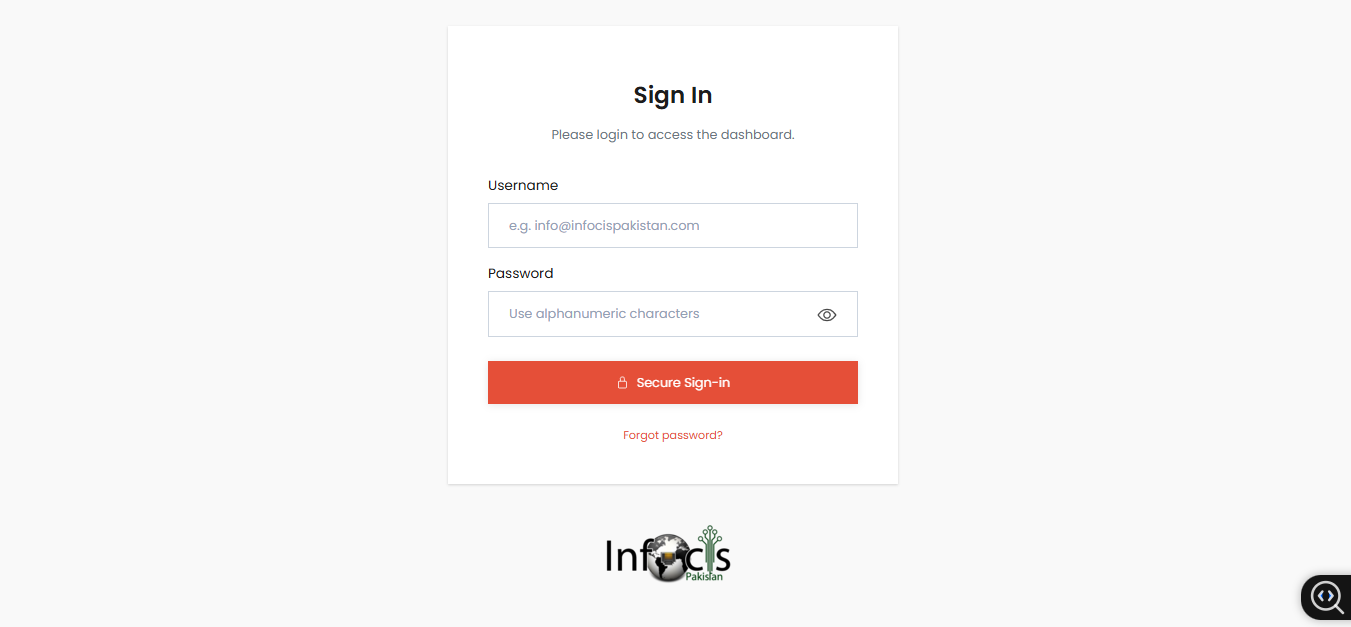
The entry point to the system is the Secure Sign-In page. Users must authenticate using their credentials to access the dashboard.
3. Main Dashboard
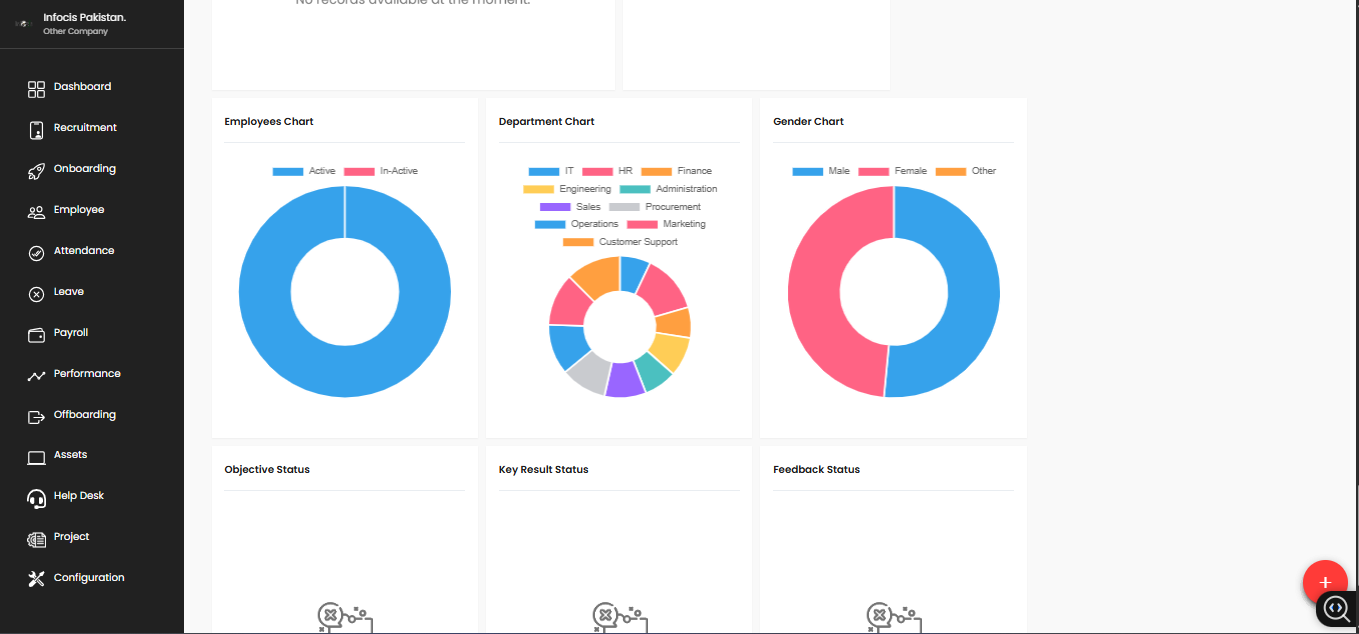
The Dashboard provides a high-level overview of the organization's health. It visualizes data regarding employee status, departments, and gender distribution through interactive charts.
4. Recruitment Management
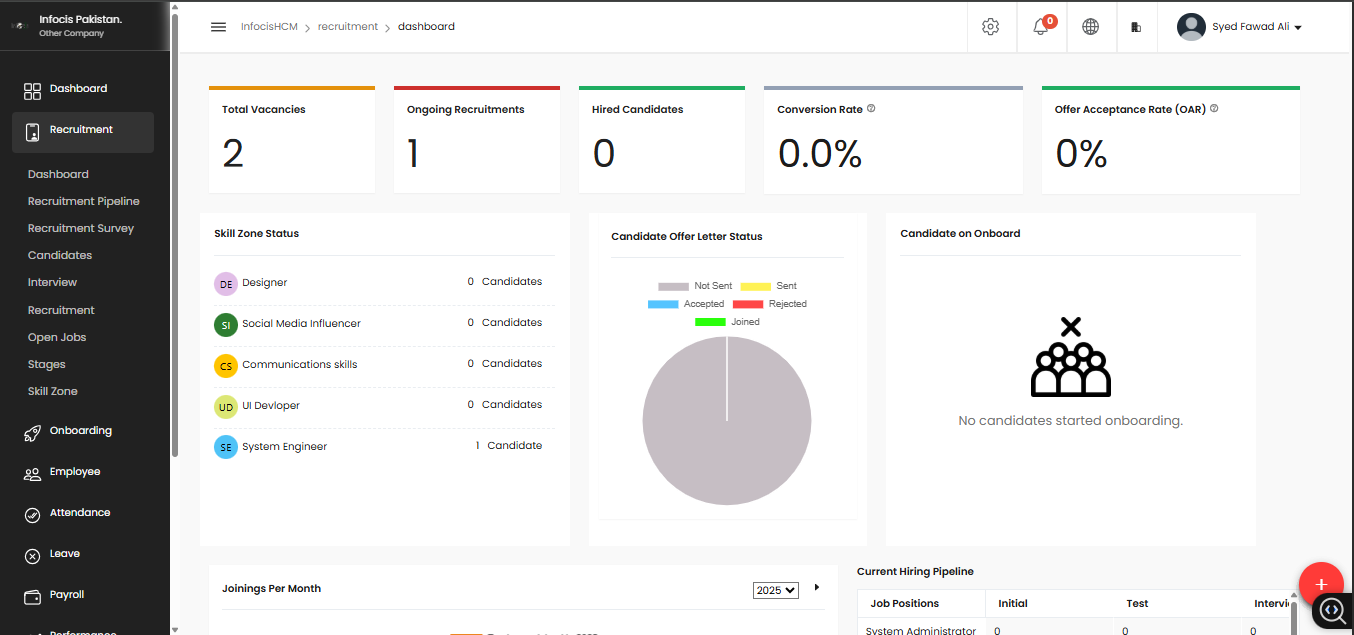
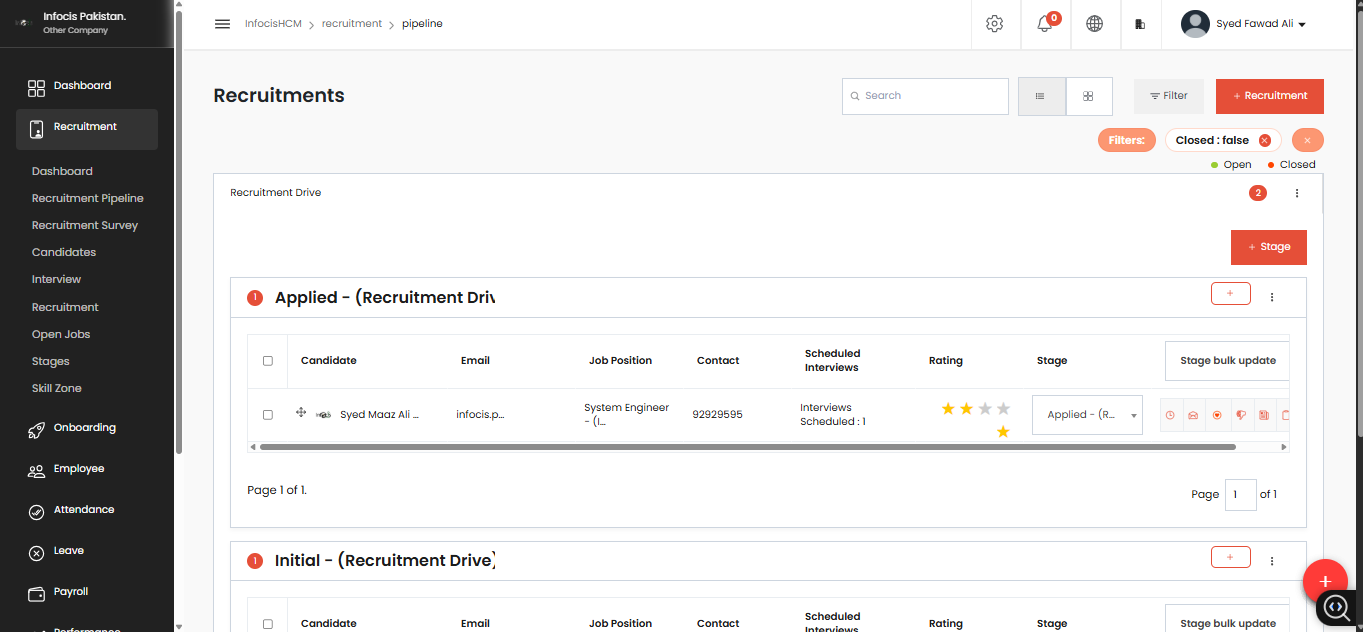
The Recruitment module handles the entire hiring lifecycle. Below are detailed views of the analytics, pipeline, candidate management, and job listings.
4.1 Recruitment Analytics
4.2 Recruitment Pipeline
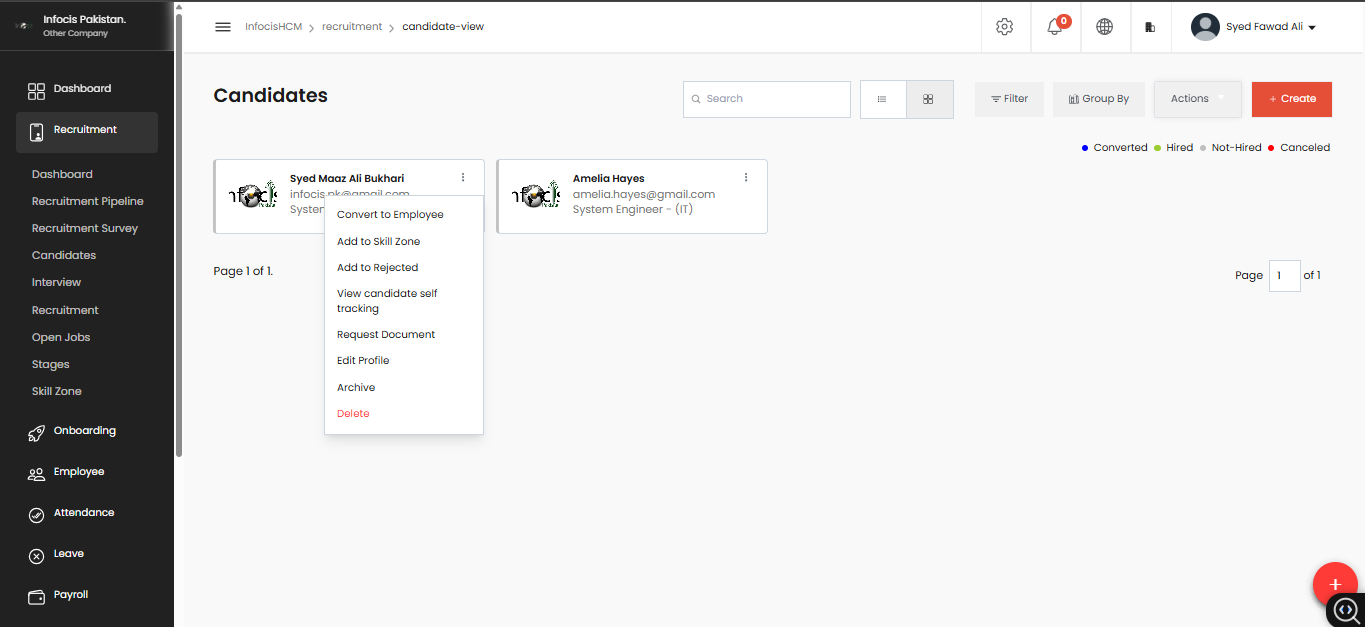
4.3 Candidate View
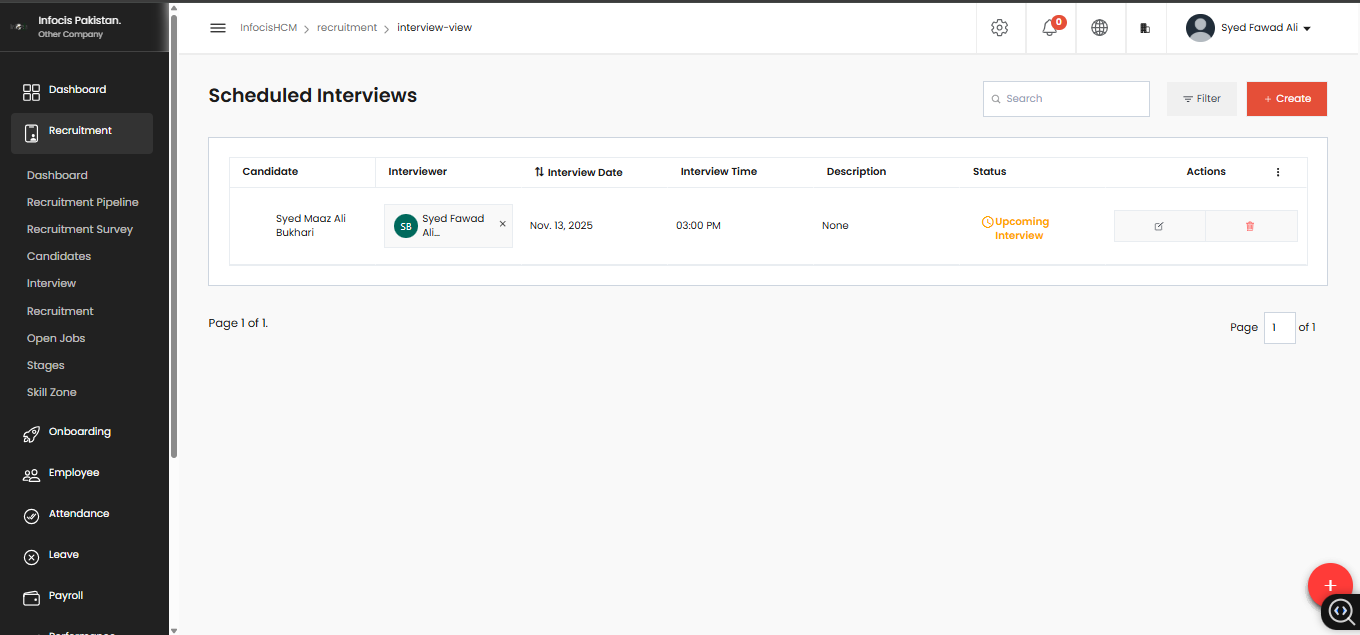
4.4 Schedule Interview
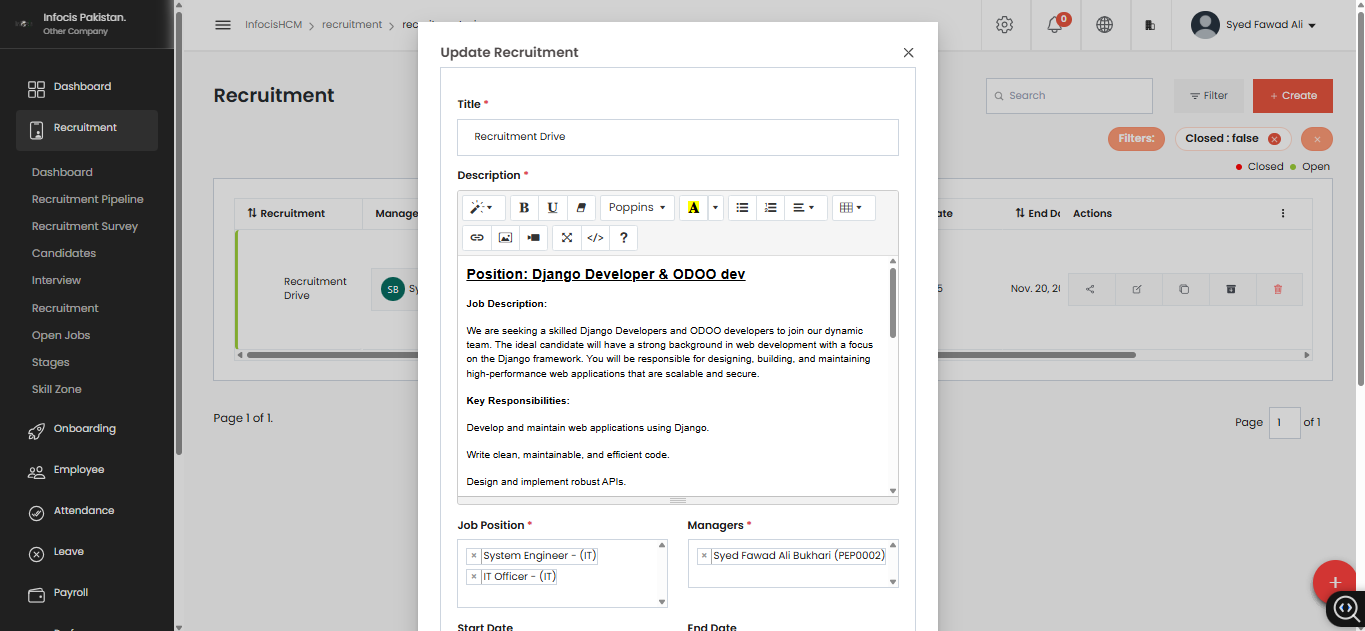
4.5 Update Recruitment Drive
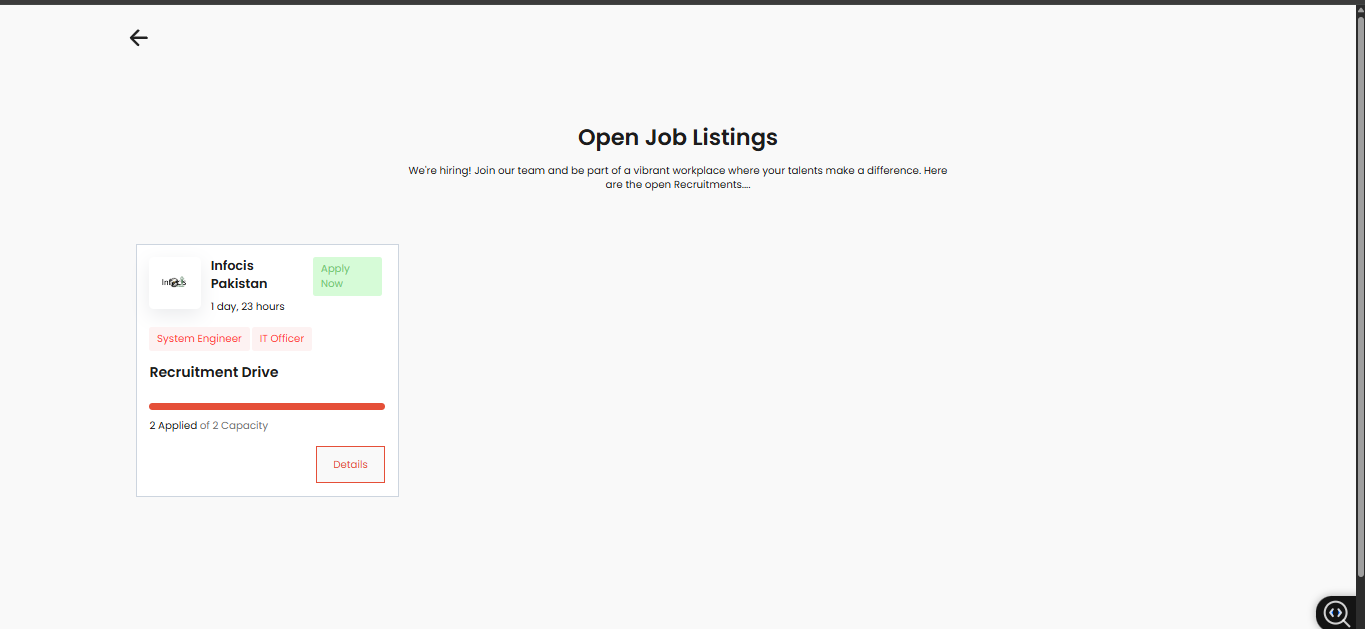
4.6 Open Job Listings
The Open Job Listings interface is designed for seamless integration with your company's official website domain. Candidates can view vacancies and submit their applications directly through your public website. This data is automatically synchronized with the Infocis HRMS backend, ensuring a smooth and efficient hiring workflow without manual data entry.
5. Onboarding & Analytics
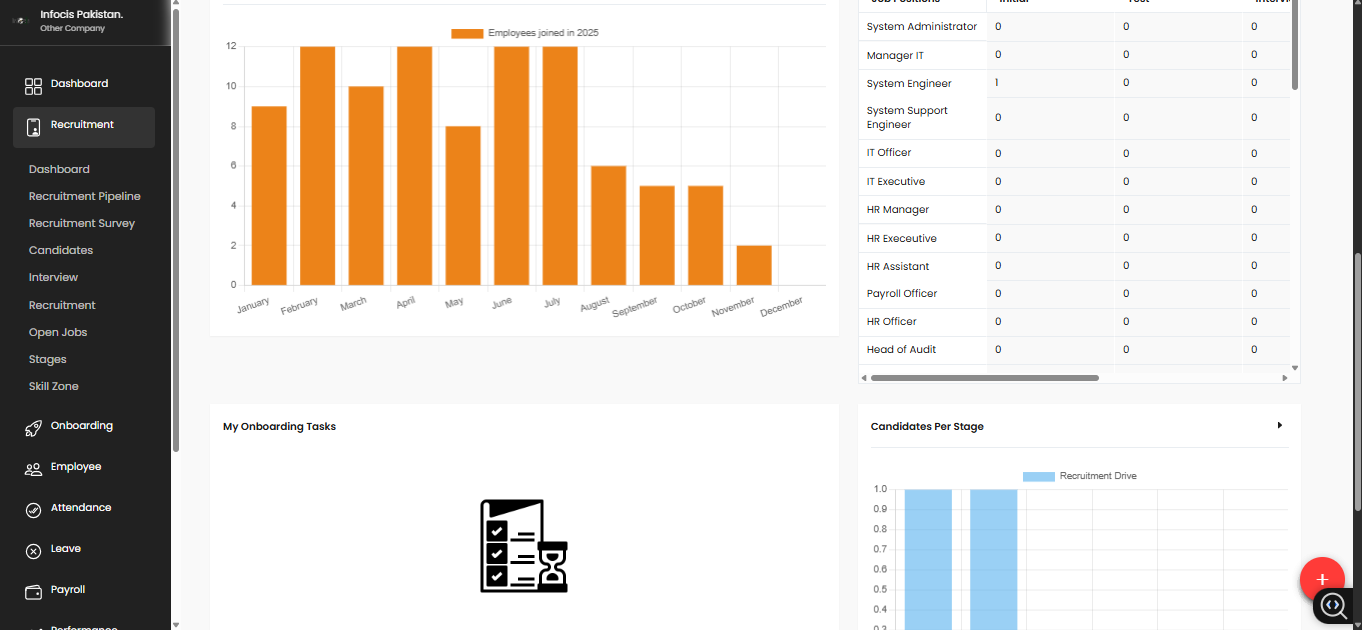
This section visualizes new hires joining throughout the year and manages tasks associated with the onboarding process.
6. Complete Module List
Infocis HRMS includes a comprehensive suite of modules. Below is the complete list including Recruitment, PMS, Offboarding, and Helpdesk.
A. Recruitment
- Recruitment Dashboard
- Recruitment Pipeline
- Candidates Database
- Recruitment Drives
- Mail Configuration
- Recruiter Assignment
B. Onboarding
- Onboarding Stages
- Candidate Task
- Task Management
- Kanban View
- Onboarding Dashboard
C. Employee
- Employee List
- Organization Chart
- Disciplinary Actions
- Resignation Handling
- Employee Profile
D. Employee Documents
Allows you to store and manage documents for each employee directly within their profile.
- National ID / CNIC & Passport
- Educational Certificates
- Experience Letters
- Appointments, Offers & Contracts
- Salary Slips & Appraisals
- Custom HR Documents (PDF, JPG, DOCX)
- Role-based Access Control
- Secure Storage & Tracking
E. PMS (Performance)
- Performance Dashboard
- Objectives & OKRs
- 360 Degree Feedback
- Key Results (KR)
- Performance Cycles
- Employee Self Review
F. Payroll
- Payroll Processing
- Contract Management
- Filing Status
- Work Information
- Payslip Generation
G. Attendance
- Daily Attendance
- Attendance Activity
- Attendance Requests
- Work Records / Overtime
- Shift Rotations
- Shift Requests
H. Leave
- Leave Requests
- Leave Types
- Leave Allocation
- Leave Dashboard
- My Leave Requests
I. Offboarding
- Resignation Request
- Offboarding Pipeline
- Offboarding Stages
- Exit Interview
- Assets Handover
J. Asset
- Asset Registry
- Asset Allocation
- Asset Categories
- Asset Requests
K. Helpdesk
- Tickets
- Ticket Types
- FAQ Section
- Support Dashboard
- Ticket Tags
L. Feeds
- Announcements
- Internal Posts
- Company Updates
- Comments & Likes